![logo.png]](https://knowledgebase.connectwithodin.com/hs-fs/hubfs/logo.png?height=40&name=logo.png)
Once an alarm has been created, users can recieve email notifications about alarm events. A user must be added into the same email group that the alarm is in. By default, alarms are in the Default group.
To add users to email groups, see the Alarm Distribution page. This page is accessible from the Notifications page or Alarm Setup page.
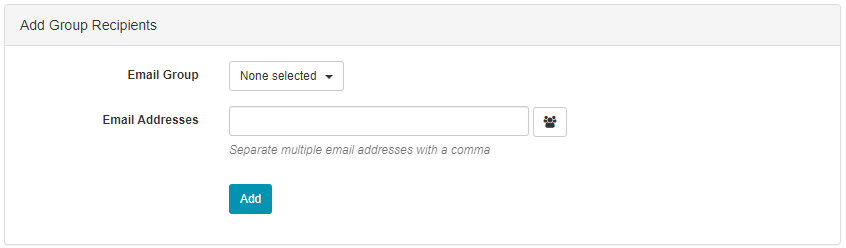
Under Add Group Recipients, select an email group, type in an email address or select one from the address book, and click Add. Users will now recieve alarm notifications in their email as well as push notifications from the ODIN app if they have installed it and allowed notifications.