![logo.png]](https://knowledgebase.connectwithodin.com/hs-fs/hubfs/logo.png?height=40&name=logo.png)
There are two ways to create trends on your BACnet objects in ODIN. From the Site Home page, you can click on the grey trend icon to the right of any object or you can click Add Trend Log from the Trends page.
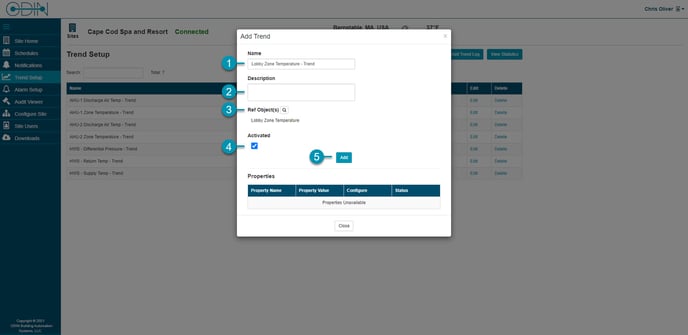
- Name: Enter the name of the trend log object to be created. If you select your Reference Object first, a trend name will be generated for you.
- Description: Enter a description for the trend log object.
- Ref object(s): Click the icon to select the reference object to trend data on. See Add Reference Object for details.
- Activated: Select or unselect to activate or deactivate the collection of trend data.
- Add: Click to create the trend object and load the configurable properties in the table.